Chain Browser Mining Program Usage Guide
1. Sign Up
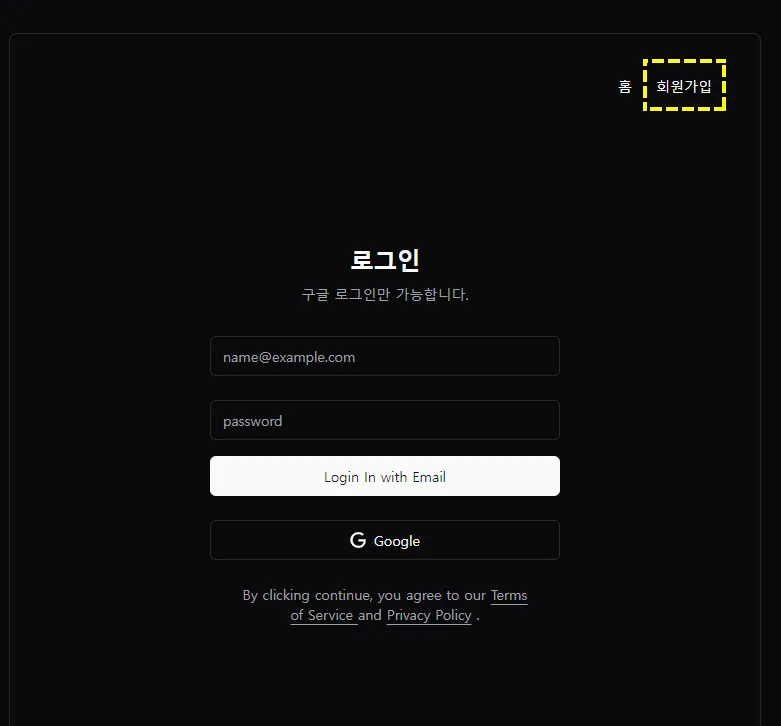 Sign up for “Chain Browser” and then log in. (Only Google login is available.)
2. Subscription Settings
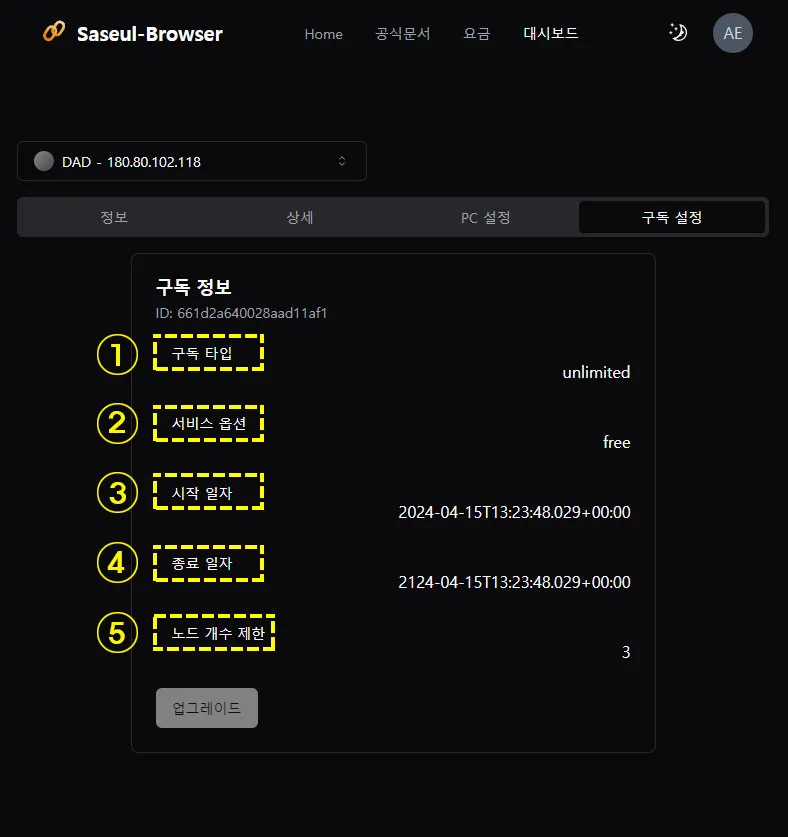
- Upon selecting a subscription, you can view subscription details.
- Check the current subscription type based on the fee.
- View current service options.
- Check the service start date.
- Check the service end date.
- Verify the number of nodes based on the current fee.
3. PC Settings
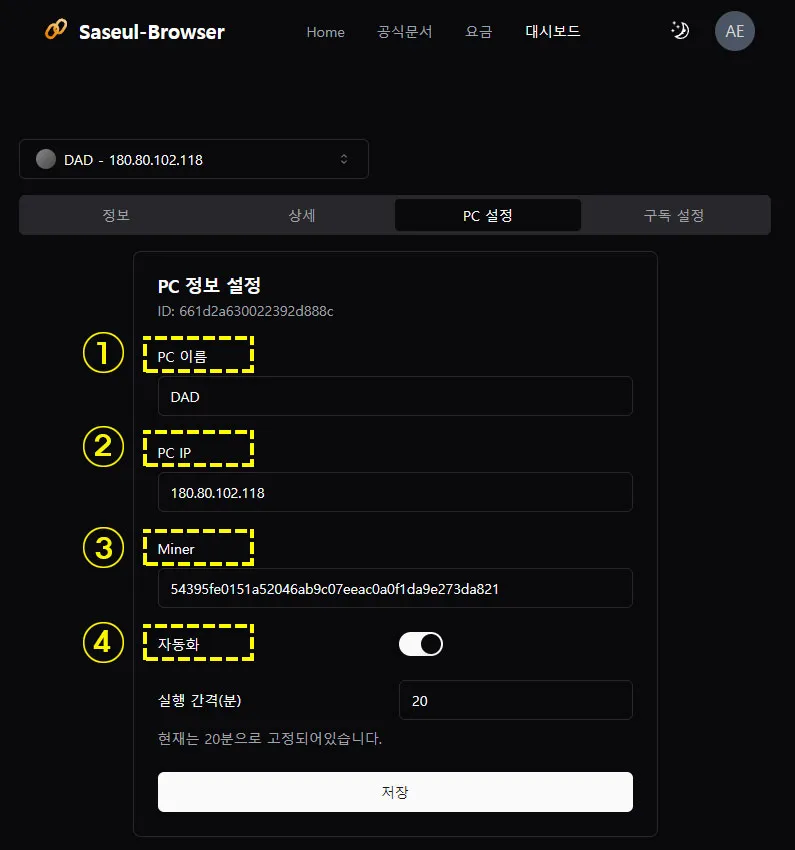
- PC Name: Free to create any name the user desires.
- PC IP: Enter the computer (PC) IP address.
- MINER: Input the MINER.
- Automation: Activate automation using the mouse.
4. PC TLS Settings
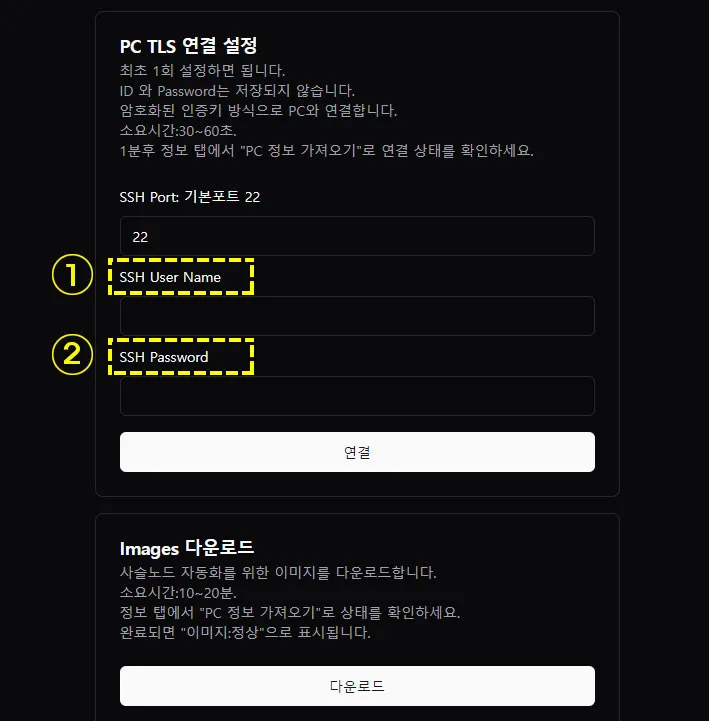
- SSH User Name: Computer user name.
- SSH Password: Computer password.
5. Details
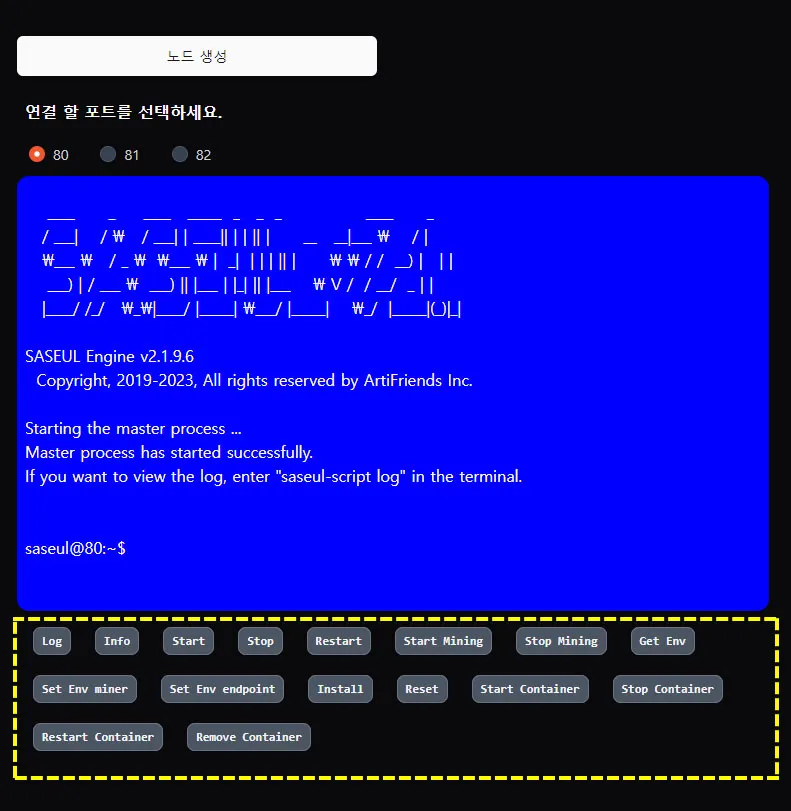
- There are 16 commands; clicking each command allows manipulation and verification of operation.
- Log: Displays debug logs.
- Info: Displays current status information of nodes.
- Start: Starts the node.
- Stop: Stops the node.
- Restart: Restarts the node.
- Start Mining: Starts the mining process.
- Stop Mining: Stops the mining process.
- Get Env: Check node information, peer information, miner address, and node endpoint.
- Set Env Miner: Set the miner address.
- Set Env Endpoint: Set the endpoint.
- Install: Chain Install
- Reset: Deletes all data.
- Start Container: Start container
- Stop Container: Stop container
- Restart Container: Restart container
- Remove Container: Remove container
6. Information
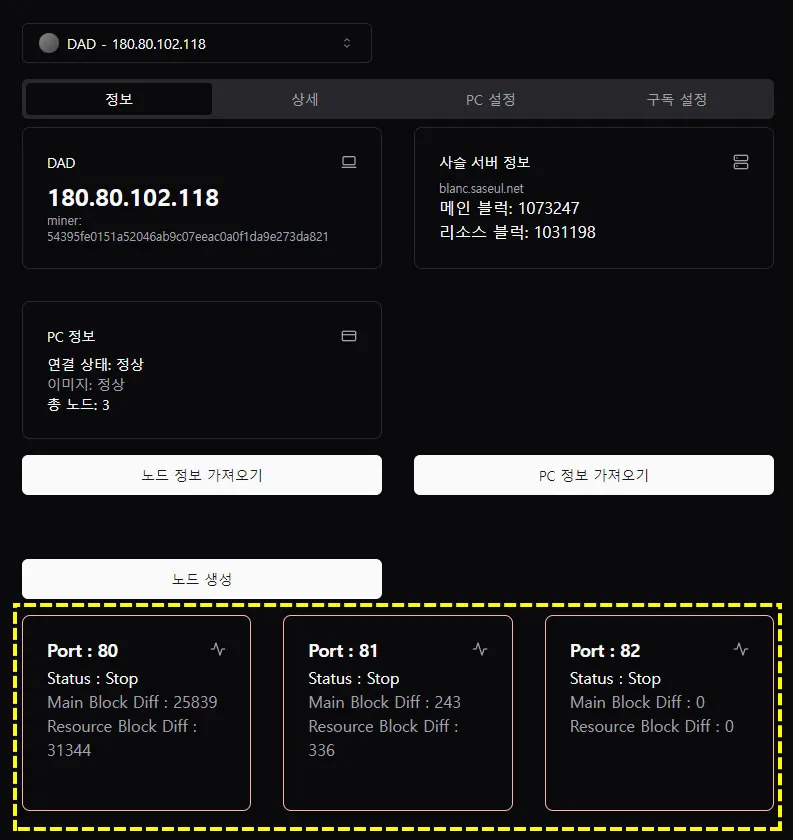
- You can check the connection status on the ports in use.
- You can check the status of the main block and resource blocks.